For people who read more than they post
Your newsletters already did the reading.
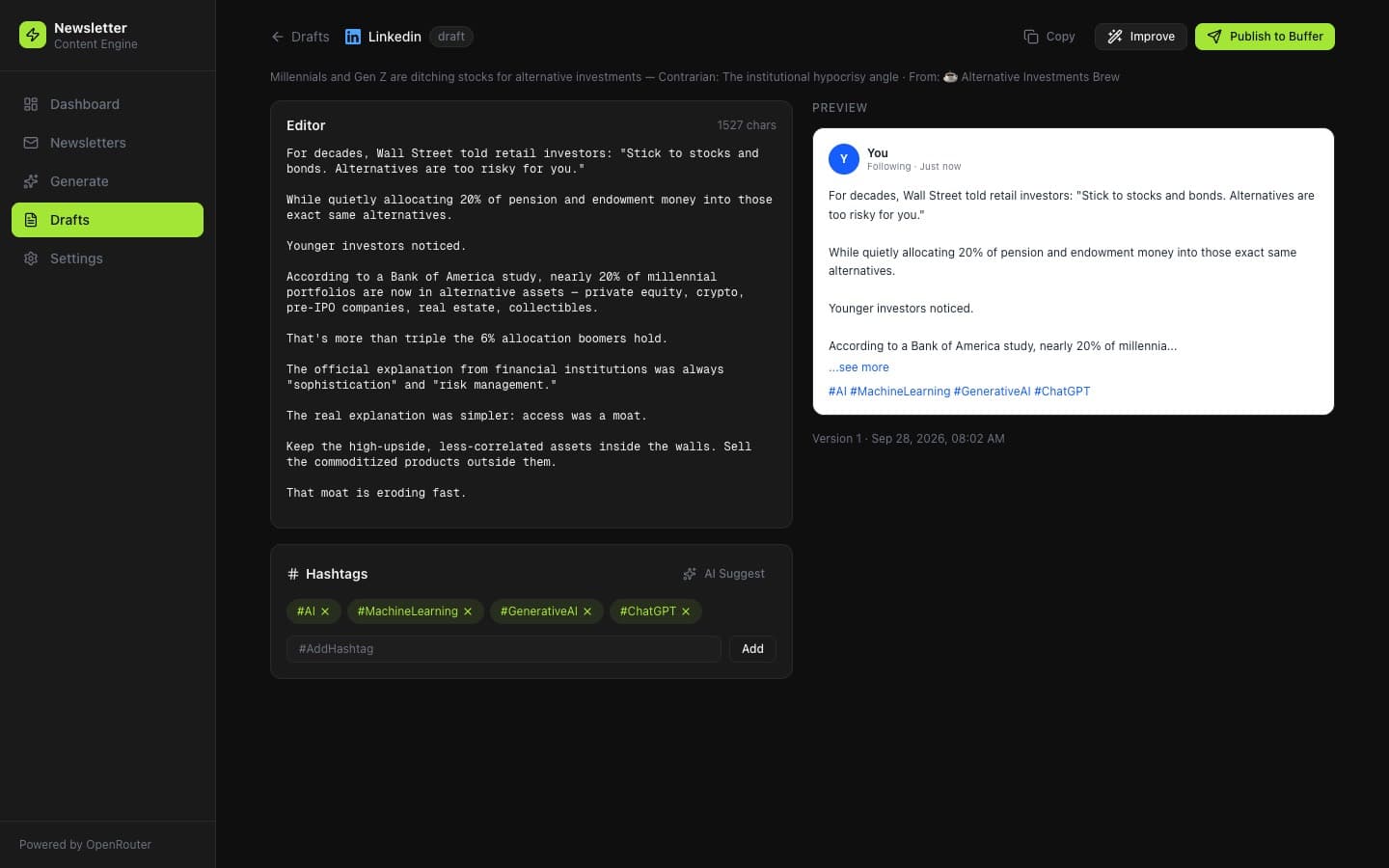
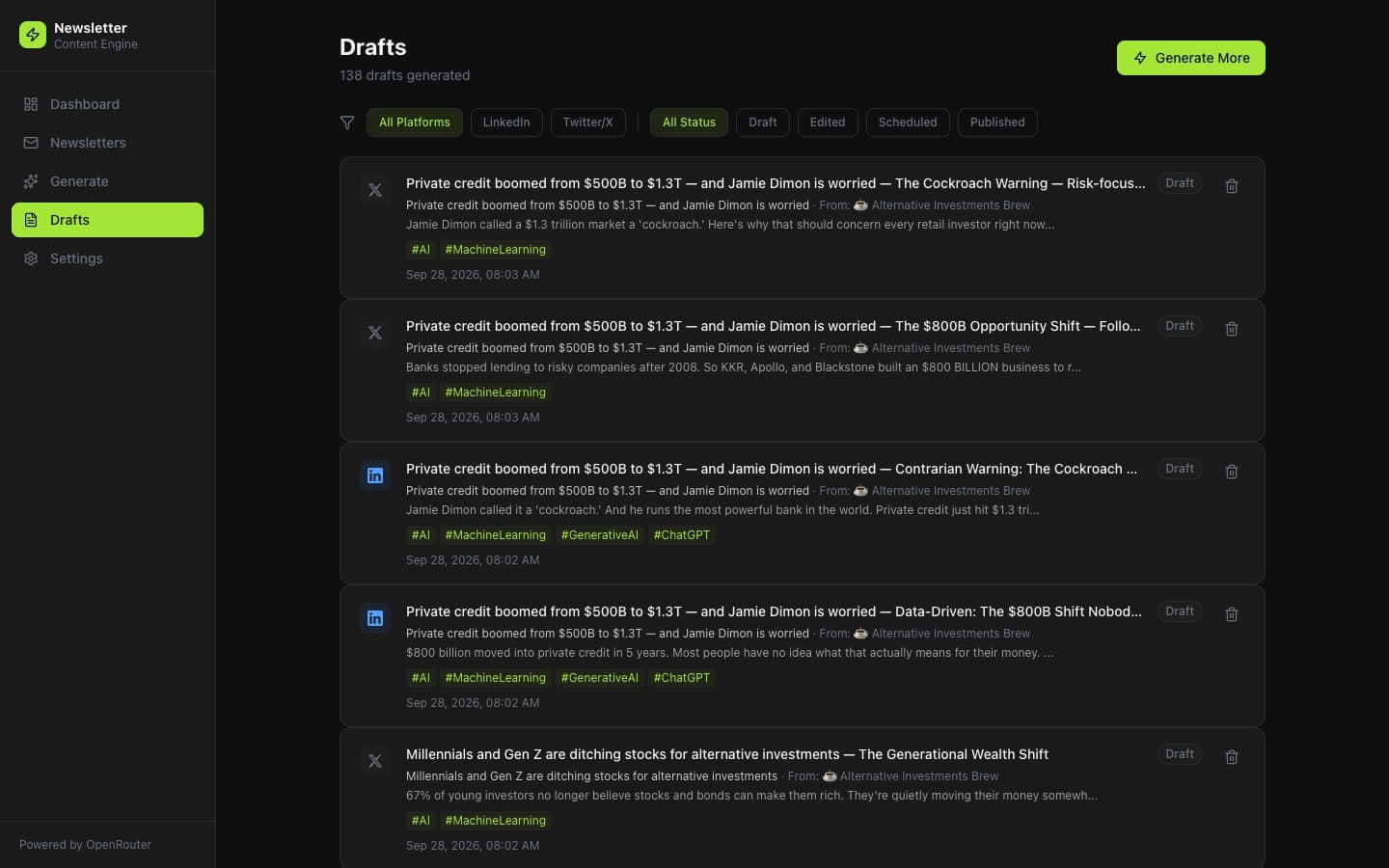
Draft Galley splits each issue into stories, writes a LinkedIn post and an X thread for every one, and holds them until you send the keepers to Buffer.
One email when a spot opens. No sequence.
The good line dies in the tab.
A newsletter with six stories is six possible posts, plus a sponsor and a footer. You meant to rewrite the one that mattered. Then the next issue showed up.
Five issues read and nothing published is a normal week when every post has to be rewritten from scratch, at night, in a blank box.
From inbox to a stack of drafts
01
Connect Gmail
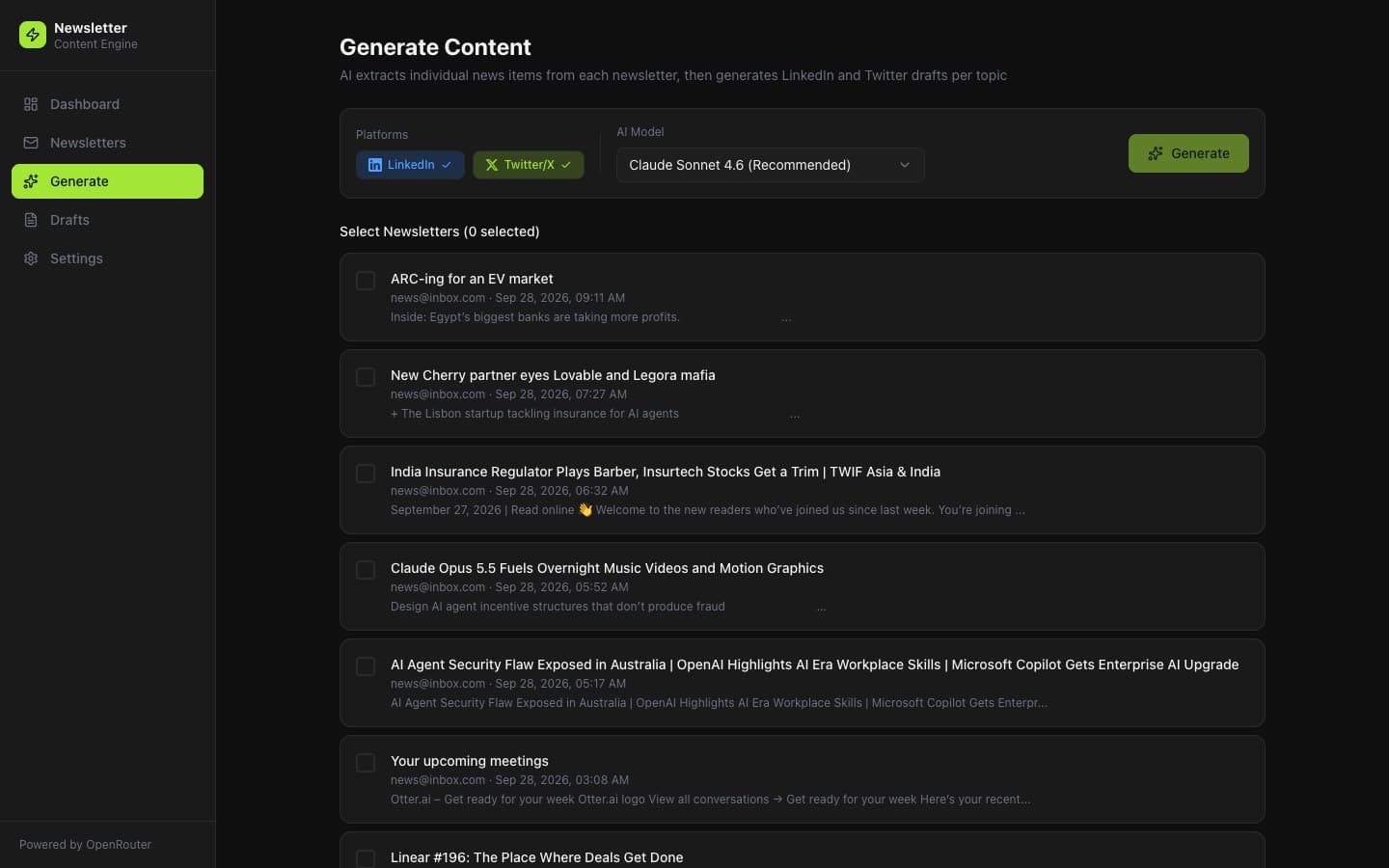
It looks for newsletter mail inside a window you set. Block a sender once and they stay out. The connection is read-only. It cannot send, delete, or reply.
02
Pull the stories apart
A roundup is not one post. Each story becomes its own brief, with the claim and the detail still attached, instead of collapsing into a single summary.
03
Draft beside a preview
Two LinkedIn posts and two X threads per story. You edit on one side and watch the preview update on the other. Swap the model when a draft comes out flat.
04
Send it when you mean to
Hashtags if you want them. Then Buffer: add to the queue, post now, or pick a time. Nothing leaves the app until you publish.
What stays in your hands
- Will this post without me?
- No. Buffer only receives a draft after you hit publish. Until then it sits in the app.
- Will it read every email?
- It fetches newsletter mail in a time window you choose. You can exclude a sender or a whole domain, and those stay excluded.
- Which networks?
- LinkedIn and X. You can generate for one or both.
- What happens after I join?
- You get one email when there is a place for you. No drip sequence.